 THE NUMBER PUZZLEby tsar
 Tangled Climber EscapeHypercasual
 Noob vs Pro But Anvil Rain Minecraft2 Player
 Brainrot Evolution Arena.IO
 Editor's pickDungeon ChessArcade
 Draw a roadArcade
 Dot LinesArcade
 Happy Orange GlassArcade
 Tetris 3D MasterArcade
 Liquid Sort DeluxeArcade
 AnnihilateArcade
 Mind GambitArcade
 Connect ColorsArcade
 ZiplyArcade
 Hidden HorrorsArcade
 Jungle Plumber Challenge 3Arcade
 Balls BurstArcade
 Balls Numbers Match !Arcade
 Trail RiderArcade
 Connect Em AllArcade
 Monster Candy CrushArcade
 Match 3D - Matching PuzzleArcade
 Sokoban Push The BoxArcade
 Brain Teasers : Avoid CrashArcade
 Onet Mahjong ConnectArcade
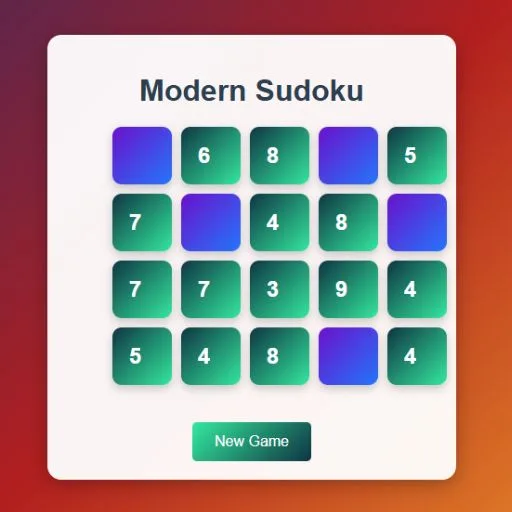 Modern SudokuArcade
 Mahjong Crush SagaArcade
 Chinese 2048Arcade
 Mahjong HalloweenArcade
 Word: Online HuntArcade
 Word SearchingArcade
 NonogramArcade
 Num BlastArcade
 Bounce and Pop PuzzleArcade
 M2 BLOCKS 2048Arcade
 Spider Solitaire : Manga GirlsArcade
 The Spider SolitaireArcade
 Choo Choo ConnectArcade
 happy water glassArcade
 Museum Night ShiftArcade
 Sugar DropArcade
 Candy Match Puzzle ChallengeArcade
 Node Fusion FrenzyArcade
 Jelly Shift Shape ControlArcade
 Bubble Shooter Relaxing PuzzleArcade
 Popcorn TimesArcadeMore
Test your brain with the ultimate Sudoku challenge! Enjoy hours of number puzzle fun with this classic Sudoku game, designed for players of all skill levels. Fill the 9×9 grid with numbers 1 through 9 so that every row, column, and 3×3 box contains each number exactly once.
About THE NUMBER PUZZLE
Test your brain with the ultimate Sudoku challenge! Enjoy hours of number puzzle fun with this classic Sudoku game, designed for players of all skill levels. Fill the 9×9 grid with numbers 1 through 9 so that every row, column, and 3×3 box contains each number exactly once. Whether you’re a beginner or a Sudoku master, this game sharpens your mind and improves logic skills. Features include: Multiple difficulty levels – Easy, Medium, Hard, and Expert. Intuitive controls and smooth gameplay. Timer to challenge your speed and accuracy. Undo & hint system to help you solve tricky puzzles.
How to play
Mouse / Touch: Click or tap on a cell to select it, then click/tap a number to fill it. Keyboard: Use number keys (1–9) to fill the selected cell. Undo / Hint: Use on-screen buttons to undo moves or get hints.